Αρχική Σελίδα

ιστολόγιο περίπου Guide Diagnosing Laptop LCD Failures With a Multimeter

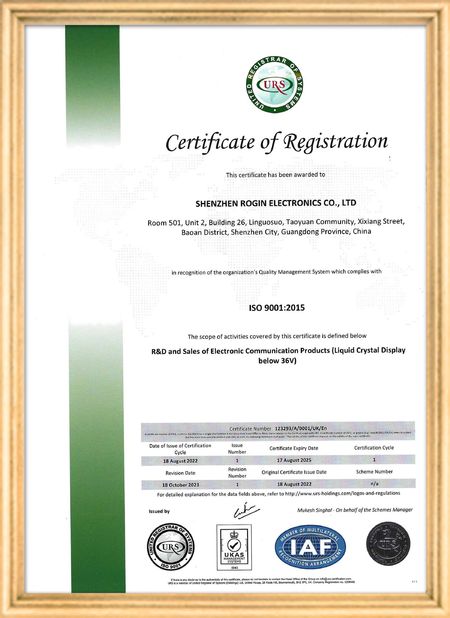
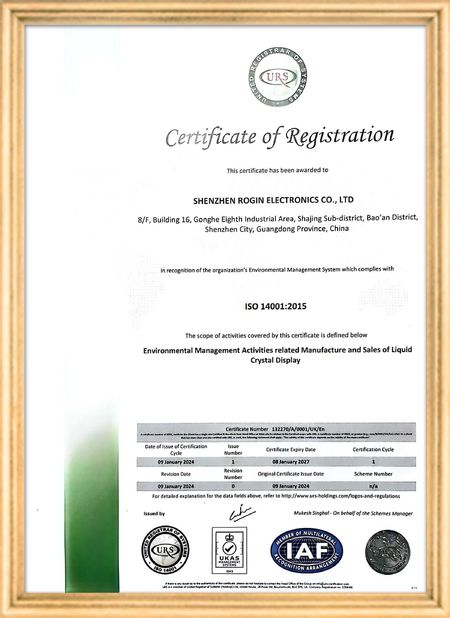
Πιστοποίηση
Κίνα Shenzhen Rogin Electronics Co., Ltd. Πιστοποιήσεις
Αναθεωρήσεις πελατών
Αυτές οι οθόνες λειτουργούν τέλεια στα τραμ. Υψηλή φωτεινότητα, αντι λάμψη και σταθερή ακόμη και υπό μακροχρόνιες δονήσεις.

—— Κάσπερ Σόρενσεν

Ακριβή χρώματα, γρήγορη απόκριση και κανονική εκκίνηση σε χαμηλή θερμοκρασία. Ταιριάζει απόλυτα στο σκληρό περιβάλλον των συστημάτων εντός τρένων.

—— Νικόλ Μπέκερ

Εύκολη εγκατάσταση, ευρύ φάσμα θερμοκρασιών και εξαιρετική ορατότητα σε φωτεινά περιβάλλοντα. Αυτές οι οθόνες καλύπτουν όλες τις απαιτήσεις του βιομηχανικού μας εξοπλισμού.

—— Τζιοβάνι.

Αυτές οι οθόνες LCD υψηλής φωτεινότητας είναι ιδανικές για τους βιομηχανικούς πίνακες ελέγχου μας. Παραμένουν κρυστάλλινες ακόμα και κάτω από άμεσο φως εργαστηρίου και λειτουργούν 24/7 χωρίς κανένα πρόβλημα. Εξαιρετική ποιότητα βιομηχανικού επιπέδου.

—— Lukas Müller

Είμαι Online Chat Now
επιχείρηση ιστολόγιο
Guide Diagnosing Laptop LCD Failures With a Multimeter
τα τελευταία νέα της εταιρείας για Guide Diagnosing Laptop LCD Failures With a Multimeter

When your laptop screen suddenly goes dark, don't panic. A simple multimeter can help you quickly identify power supply issues. This guide simplifies the diagnostic process, enabling you to check your LCD screen's power supply and determine whether the problem lies with the screen itself or its supporting components.

Preparing Your Multimeter

Begin by setting your multimeter to measure DC voltage. Before testing, identify your screen's rated voltage—typically marked near the power connector or available in the device specifications. Modern laptop screens commonly operate between 3.3V to 19V, depending on the model.

Testing Procedure

With the laptop powered off, carefully connect the multimeter probes to the screen's power connector terminals:

  • Place the red probe on the positive (+) terminal
  • Place the black probe on the negative (-) terminal or ground

Power on the device and observe the multimeter reading. Compare this measured voltage with your screen's rated voltage.

Interpreting Results

If the reading shows significantly lower voltage than specified or no voltage at all, potential issues include:

  • Faulty power adapter
  • Damaged motherboard power circuits
  • Loose or damaged cable connections

Systematically check each component: try a different adapter, inspect motherboard connections, and reseat all cables. If voltage readings return to normal after any intervention, you've likely found your culprit.

When voltage measurements match specifications but the screen remains nonfunctional, the issue may involve the LCD panel itself, the backlight, or other screen components requiring further diagnosis.

Safety Considerations

Always disconnect power before handling internal components. When working with exposed connectors, avoid touching multiple contacts simultaneously to prevent short circuits. These basic diagnostic techniques provide valuable information for determining whether to repair or replace components.

Χρόνος μπαρ : 2026-05-18 00:00:00 >> blog list
Στοιχεία επικοινωνίας
Shenzhen Rogin Electronics Co., Ltd.

Υπεύθυνος Επικοινωνίας: Mr. Kelvin Zhu

Τηλ.:: +86 15919061504

Στείλετε το ερώτημά σας απευθείας σε εμάς (0 / 3000)